

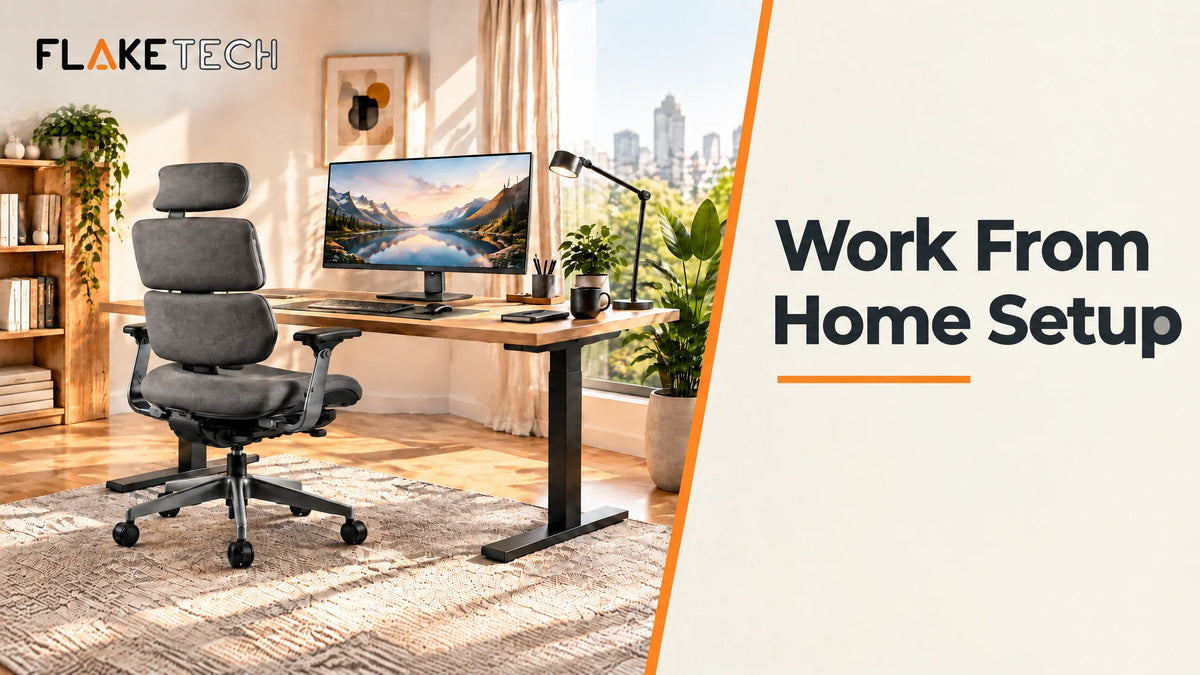
Work From Home Setup: 8 Steps to a Comfortable and Productive Home Office
Working from home gives you more flexibility, but the right workspace makes a big difference in how comfortable and productive your day feels. A well-planned work from home setup doesn't need a large room or complicated equipment. The goal is a workspace that supports your work, keeps your essentials organized, and makes long hours at your desk more comfortable.
From choosing the right desk and office chair to improving your monitor position and organizing cables, here is how to build a practical home office setup.
1. Choose the Right Space for Your Home Office
Start with a dedicated area where you can work with minimal distractions. It doesn't have to be an entire room. A quiet corner of a bedroom, living room, or spare room works as long as there is enough space for your desk and chair.
Consider:
- Natural or comfortable lighting
- Enough space to move your chair freely
- Easy access to power outlets
- A location with fewer distractions
- Enough room for your computer and everyday work essentials
Keeping your work area separate from your relaxation space also makes it easier to switch between work and personal time. Setting up a study area instead? See our guide to the best desk setup for students.

2. Choose a Desk for Your Home Office Setup
Your desk is the foundation of your home office. Choose a surface with enough room for your laptop or monitor, keyboard, mouse, and other essentials without making the space feel crowded. Our guide to the best desk for computer covers size, weight capacity, and whether drawers are worth it.
If you spend most of your day at your desk, look for a setup that lets you change position throughout the day. An adjustable standing desk lets you alternate between sitting and standing, and our best standing desk for home office guide compares motorized and manual options.

3. Invest in an Ergonomic Office Chair
Since you may spend several hours sitting each day, a good chair is one of the most important parts of your work from home setup. Choose an ergonomic office chair that offers proper support and lets you adjust your sitting position. For a closer comparison, see the best office chairs for home office.
Look for features such as:
- Adjustable seat height
- Back support
- Comfortable cushioning
- Adjustable armrests
- A backrest that supports your preferred sitting position
Not sure which style suits you? Read our breakdown of the types of office chairs before you decide. Your chair and desk should work together so that your screen, keyboard, and arms sit at a comfortable height.

4. Improve Your Laptop and Monitor Position
Screen position affects how comfortable your workspace feels. If your laptop or monitor is too low, you may find yourself looking down for long stretches.
A laptop stand raises your laptop to a better viewing height, while a monitor arm gives you more flexibility when positioning an external monitor. Not sure which mount fits your screen? See the types of monitor arms. Both free up desk space, which is especially useful in a small home office setup.

5. Keep Your Desk Organized with Work From Home Accessories
A productive workspace is easier to maintain when everything has a place. Instead of letting chargers, cables, and headphones take over your desk, use office desk accessories designed to keep things tidy, like an under desk cable management tray.

Useful work from home accessories include:
- Cable management solutions
- Desk shelves
- Monitor stands
- Headphone stands
- Desk organizers
- Laptop stands
A clear desk also makes your frequently used tools easier to reach.
6. Make Your Workspace More Comfortable
Comfort is not only about your chair. Think about how your whole setup interacts with your body during the workday. Our guide to the correct sitting posture at work shows how to line up your screen, keyboard, and chair.
Your screen should sit at a comfortable height, your keyboard and mouse should be easy to reach, and your chair should let you keep a relaxed sitting position. For longer work sessions, you can also add an under desk footrest.

7. Don't Forget Lighting
Good lighting is an important part of any home workspace. If possible, position your desk to benefit from natural light without creating glare on your screen.
For darker rooms or evening work, a monitor LED light adds illumination without relying entirely on overhead lighting.

8. Keep Your Work From Home Setup Flexible
Your ideal setup may change as your work needs change. You might start with a laptop and add a monitor later, or need more desk space as your responsibilities grow.
Instead of trying to build the perfect setup immediately, build around the equipment you actually use and upgrade when you identify a specific need.
Work From Home Setup Checklist
Before you start your workday, make sure your workspace has:
- A suitable desk
- A comfortable office chair
- A properly positioned laptop or monitor
- Organized cables
- Enough lighting
- Essential desk accessories
- Enough space to work without unnecessary clutter
Work From Home Setup FAQs
What do I need for a work from home setup?
At minimum, you need a desk, a supportive chair, and a laptop or monitor at a comfortable height. Accessories like a laptop stand, cable management, and good lighting make the setup more comfortable and organized.
How can I create a small home office setup?
Choose a compact desk, raise your screen with a desk monitor stand or monitor arm to free up surface space, and consider a standing desk converter if you already have a desk. Use organizers to keep cables and small items off your work area.
Is a standing desk worth it for working from home?
If you sit for most of the day, a standing desk lets you alternate between sitting and standing, which can make long workdays more comfortable.
Build a Better Work From Home Setup
A good work from home setup doesn't have to be complicated. Start with the essentials, a suitable desk and chair, then add accessories that solve specific problems like limited desk space, poor screen positioning, cable clutter, or lack of organization.
Build your workspace around your actual work needs, and you'll end up with a home office that feels organized, comfortable, and ready for the workday. Want to try before you buy? Visit our showrooms in New Cairo or Obour. Setting up home offices for a remote or hybrid team? Explore our business workspace solutions.

اترك تعليقًا
This site is protected by hCaptcha and the hCaptcha Privacy Policy and Terms of Service apply.